Stop Approving ls: Using a Local LLM to Auto-Classify Command Safety
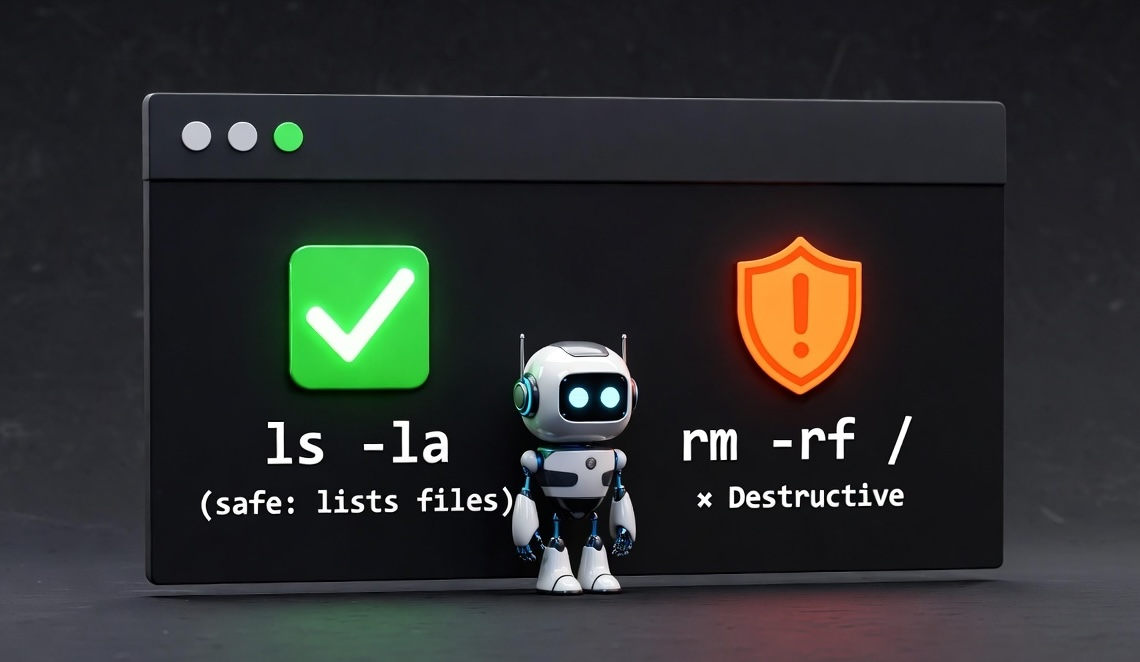
If you use AI coding assistants like Cline, Cursor, or Claude Code, you know this pain:
> list files in this directory

⚠️ Command approval required:
   $ ls -la
[y/n]: y

> show docker containers

⚠️ Command approval required:
   $ docker ps
[y/n]: y
Every. Single. ls. Every cat. Every git status.
The irony? These tools already trust the AI to write code, but won’t let it run ls without permission.
Current Solutions Are Broken
Most tools offer two bad choices:
| Approach | Problem |
|---|---|
| Approve per base command | gh issue view 48 ✅ also approves gh issue delete 48 ❌ |
YOLO mode (--dangerously-skip-permissions) |
No safety at all |
| Static allowlist | Can’t catch echo data > file.txt (destructive!) |
Even Microsoft’s VSCode has an open issue planning to use an LLM for classification—but it’s not implemented yet:
“An opt-in setting that will allow an LLM to determine whether a command is safe to auto-approve”
The Solution: Local LLM Classification
I built this in QL Chat, my AI coding mentor tool. Here’s how it works:
def classify_command_safety(command: str) -> Tuple[bool, str]:
    """
    Ask local LLM to classify command as SAFE or DESTRUCTIVE.
    Returns: (is_safe, reason)
    """
    result = call_local(
        prompt=f"Command: {command}",
        system_prompt=SAFETY_CLASSIFICATION_PROMPT,
        json_response=True
    )

    data = json.loads(result)
    return (data['safe'], data['reason'])
Why Local?
| Factor | Cloud LLM | Local LLM (Ollama) |
|---|---|---|
| Latency | 300-500ms | ~50ms (cached: 1ms) |
| Cost | $0.01+ per call | Free |
| Privacy | Commands sent to cloud | Commands stay local |
| Availability | Internet required | Works offline |
I’m using gpt-oss:20b via Ollama, which runs great on M-series Macs.
The Classification Prompt
The prompt is simple but effective—few-shot examples with clear categories:
SAFETY_CLASSIFICATION_PROMPT = """You classify shell commands as SAFE or DESTRUCTIVE.

SAFE = read-only, no side effects, information retrieval
DESTRUCTIVE = modifies files, deletes data, changes state, writes output

Examples:
- ls -la → SAFE (lists files)
- gh issue view 48 → SAFE (reads issue)
- docker ps → SAFE (lists containers)
- git status → SAFE (shows status)

- rm file → DESTRUCTIVE (deletes)
- gh issue delete 48 → DESTRUCTIVE (deletes)
- echo > file.txt → DESTRUCTIVE (overwrites)
- git push → DESTRUCTIVE (modifies remote)

Respond ONLY with JSON:
{"safe": true/false, "reason": "brief explanation"}"""
The UX: Silent Success, Explicit Warnings
This is the key insight: safe commands should be invisible, dangerous commands should explain why.
ql chat

# Safe commands auto-approve silently
> run ls -la
  (safe: lists files)
[output shown]

> run docker ps
  (safe: lists containers)
[output shown]

# Destructive commands explain WHY and ask
> run rm /tmp/test
⚠️ Potentially destructive command
   $ rm /tmp/test
   Reason: deletes files
[y/n/s/a]:

> run git push origin main
⚠️ Potentially destructive command
   $ git push origin main
   Reason: modifies remote repository
[y/n/s/a]: y
Users can make informed decisions when they know why approval is needed.
Performance: Caching is Essential
The first LLM call takes ~1000ms (model already loaded). But with caching, repeated commands are instant:
| Scenario | Time |
|---|---|
| First LLM call | ~1000ms |
| Cache hit | ~1ms |
I implemented a persistent MRU (Most Recently Used) cache:
// ~/.ql/db/safety_cache.json
{
  "docker ps": {
    "is_safe": true,
    "reason": "lists containers",
    "created_at": "2025-12-05T10:30:00",
    "last_hit": "2025-12-05T14:22:00",
    "hit_count": 15
  }
}
Key features:
- 500 entry limit with MRU eviction
- Persists across sessions—common commands never re-classify
- Tracks usage for intelligent eviction
Graceful Degradation
Never break the workflow. If Ollama isn’t running, fall back gracefully:
try:
    is_safe, reason = classify_command_safety(command)
except Exception:
    if not self._ollama_warned:
        print("⚠️ Local LLM unavailable, using manual approval")
        self._ollama_warned = True
    # Fall back to standard approval prompt
Setup
Getting started is simple:
# Install Ollama
brew install ollama

# Pull the model (~12GB)
ollama pull gpt-oss:20b

# That's it! QL Chat auto-detects Ollama
Results
| Metric | Before | After |
|---|---|---|
Approval prompts for ls, cat, git status |
Every time | Never |
| False auto-approvals (dangerous commands) | Yes! | No |
| User awareness of why command is risky | None | Always shown |
| Cost | N/A | Free |
| Privacy | N/A | 100% local |
Why This Matters
The AI coding assistant space is moving fast, but the UX around command approval is stuck in 2023. Static allowlists can’t handle the nuance of commands like:
echo hello✅ vsecho data > config.yml❌gh issue view 48✅ vsgh repo delete myproject❌docker ps✅ vsdocker system prune -af❌
An LLM understands these distinctions. And with local inference, there’s no cost, no latency penalty, and no privacy concerns.
What’s Next
This is Part 1 of the AI Consent Security series. Coming up:
- Part 2: When Your Trusted Commands Betray You - Why allowlists fail when LLMs get creative with “safe” commands
- Part 3: The AI That Helped Catch Itself - Detecting indirect execution attacks and script payloads
The attack vectors get more sophisticated with each part. Follow along to see how AI assistants can bypass even smart safety systems.
Part 1 of the AI Consent Security series.
The code is open source: github.com/NightOwlCoder/quick-launch
If you liked this post, you can share it with your followers⇗ and/or follow me on Twitter!